

Matariki.App Instructions
1. Download the Matariki.App
Click on the appropriate link to download the Matariki.App to your phone or tablet.
2. Open Matariki.App
Follow the link and launch Matariki.App on your device.
3. Allow Permissions
Allow camera and location access when prompted to enable the AR experience.
4. Tap “View AR”
Select the View AR button to enter augmented reality mode.
5. Scan the Environment
Point your device towards the ground and slowly move it around until the app recognises the space.

6. Discover the Artwork
Digital sculptures will appear in your surroundings. Walk around them to explore from different angles.
7. Learn the Story
Tap the Information button to read about the artist, artwork, and Matariki connections.
8. Follow the Trail
Continue to each location to discover additional artworks and stories along the experience.
9. Capture and Share
Take photos and videos, then share your experience with friends, whānau, and the wider community.



Matariki.App™
XR/AR/Ai/spatial | LOCATION | STREAMING | 360° | 3D
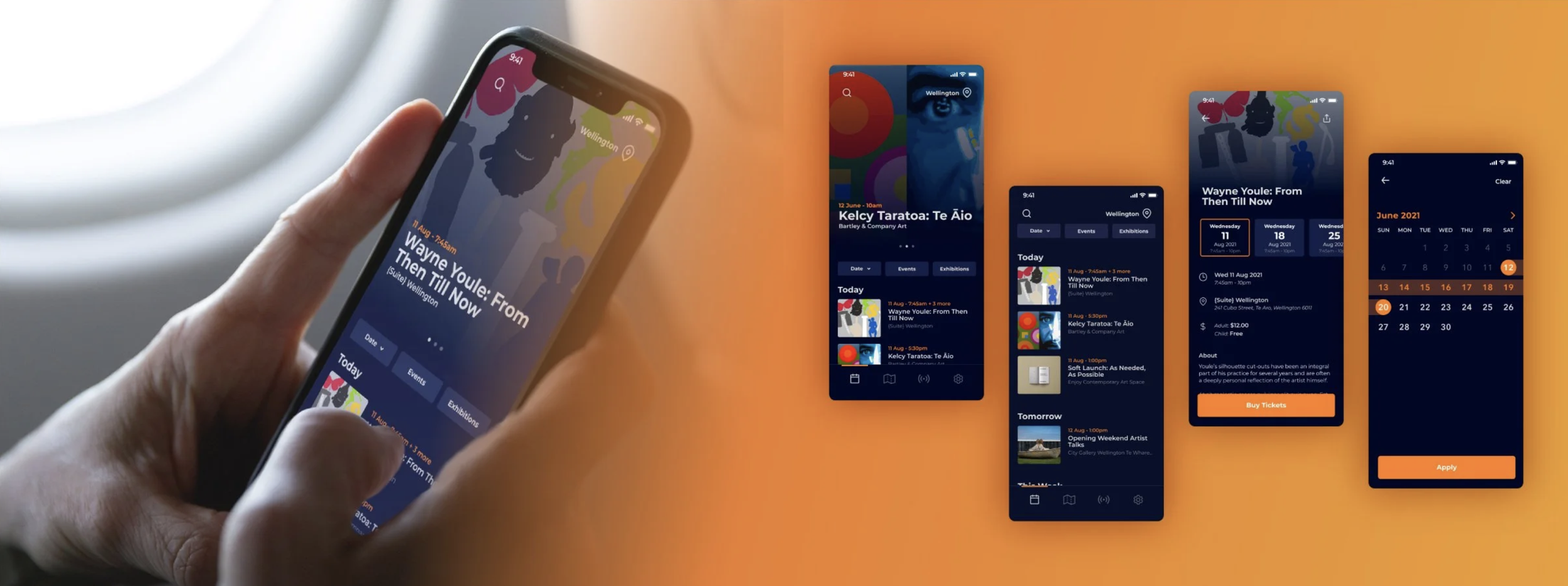
The Matariki.App™ is an event index where you can discover & retrieve the details of events in the regional schedule of the Matariki & Puanga, Waitangi Day & throughout the year.
The Matariki.App™ is designed to enhance the event experience for users & provide an effective platform for delivery of immersive media in a Matariki real-time 3D environment.
*powered by iSPARX™
Toi Arahitanga Matariki.App™ Userflow
The Toi Arahitanga Matariki.App™ allows users to browse aggregated events within their region.
The app boots to a home page that hosts a carousel of featured events and a list of events active in their region.
User can choose to search or filter by event type, or by date range, within this screen. An alternative map view can be navigated to via the nav bar at the bottom of the screen. If an app features events from multiple regions, users may select which region they wish to browse.
Any event tile within the app can be tapped on to take the user to an in depth page with information and media related to the event itself, including address, hours, cost, and links to ticketing etc.
The app also features a "live" page where live streamed content and previous media can be found.
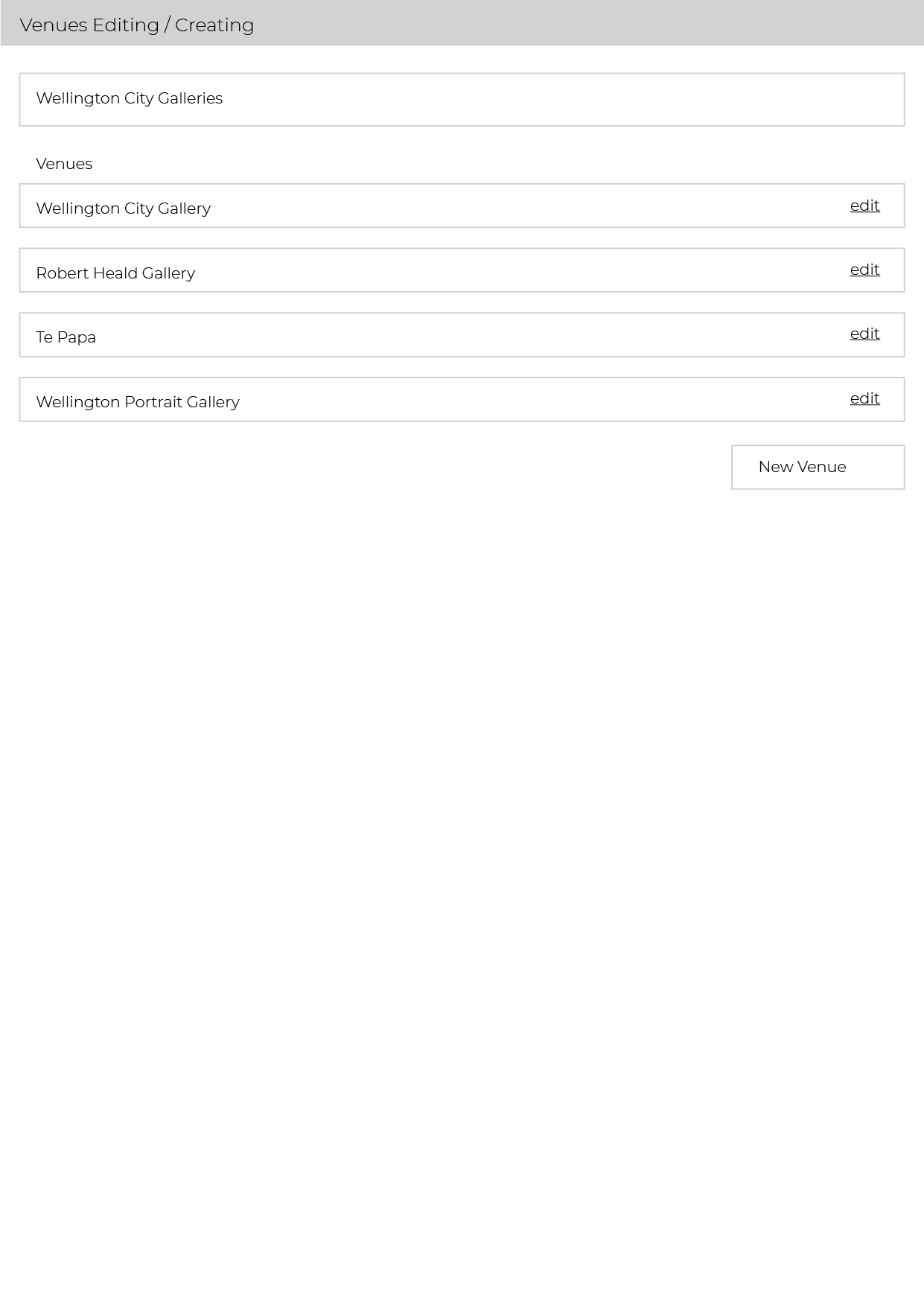
The app is powered by an interface and backend that allows administrators to create and manage custom events, or filter events through eventfinda both manually or via rules (e.g. events containing the text "matariki" are whitelisted).
Welcome to Matariki.App
Experience Matariki through a trail of augmented reality artworks created by
Māori artists.
Getting Started
1. Scan the QR Code
Use your smartphone camera to scan the event QR code.
2. Open Matariki.App
Follow the link and launch Matariki.App on your device.
3. Allow Camera Access
When prompted, allow camera permissions so the app can place digital artworks
into your environment.
4. Select “View AR”
Tap the View AR button to begin the experience.
Viewing the Sculptures.
5. Scan Your Surroundings
Point your device towards the ground in front of you and slowly move your phone
around.
The app will recognise the environment and position the artwork within the
space.
6. Explore the Artwork
Walk around the sculpture to view it from different angles.
Move closer to examine details and discover hidden perspectives.
7. Learn More
Tap the Information icon to read about:
* The artist
* The artwork
* The cultural significance
* Connections to Matariki
Following the Trail
8. Visit Each Location
Continue along the trail to discover additional artworks.
Each location features a unique digital sculpture and story.
9. Share Your Experience
Take photos and videos of the artworks and share them with friends and whānau.
Tag the event organisers and artists when posting on social media.
Helpful Tips
* Use headphones for the best audio experience.
* Hold your device steady while scanning.
* Ensure Location Services are enabled.
* For best results, use the experience outdoors in good lighting.
* Be aware of your surroundings and respect other visitors.
Enjoy the Journey
Matariki is a time for remembrance, reflection, celebration, and planning for the future.
We invite you to explore these digital artworks, learn the stories they share, and experience Matariki in a new way.




ROADMAP of the AR+guide™
A timeline of events:
2017 - iNDiGiNOUS - URBAN SHAMAN ABORIGINAL ART GALLERY, Winnipeg MB; Augmented Reality Tāonga ‘ARt’;
2018 - Billboard Latin Music Awards / Telemundo, NBC Universal; EY Seren for New York based Agency & UK based International Client;
2019 - Tame Iti - developing the AR+artist™ for the exhibition ‘Ruatoki’ - with Billy Apple; location AR;
2020 - Discover Porirua, a mobile App commissioned by the Pātaka ART+Museum to catalogue heritage trails;
2021 - Toi Ārahitanga - the ‘Art Guide’ built to demonstrate an index of immersive media for arts & events; iNVITE™ ticketing & event system;
2022 - our AR+artist™ product for Tame Iti; developed further for artists featuring the Pacific Sisters, Sheyne Tuffery, the HORI, Wahine Māori & Regan Tamanui (HAHA) - Melbourne Fringe ‘22, Hawai’i Triennial 2022 (HT22), New Zealand Festival of the Arts & other international exhibitions & events. AR/XR 360° & VR / surround sound LIVE installations.
The AR+guide™ is a curated catalogue of immersive media including AR/XR, 3D, 360°, positioning & streaming. An intuitive web studio enables users to create & manage assets.

Discover Porirua
client : Porirua City - Pātaka ART+Museum.
AR+guide™ of heritage trails; *presently developing bilingual content & immersive 3D interactive including photogrammetry & 360° video.

Toi Ārahitanga
*test index for immersive content - events & exhibitions.
AR+guide™

Tame Iti - Ruatoki
AR+story™ is a template system that allows artists & arts practitioners the ability to use AR & XR technologies.

iNVITE™ ticketing
*independent ticketing & event system - using Squarespace commerce & Stripe secure payments integrated with our proprietary ticketing system… also delivers redeemable media & a merchandise store.